What's New in Destiny 18.0
Welcome to Destiny version 18.0. Destiny is a complete library and resource management system that can be accessed from anywhere, 24/7, helping to strengthen the bond between the library, classroom and home.
This new version incorporates many of your suggestions, and we are confident the enhanced features and functions will meet your needs. We continue to improve Destiny for today’s students, teachers and librarians.
Destiny version 18.0 features are available in Destiny Library Manager, Destiny Resource Manager and Destiny Discover to keep Destiny current with technical, library and market trends.
We know you will want to begin using these enhancements right away!
|
Notes:
- To update to the latest version of Destiny, you must be on Destiny v12.0 or later. If you have a version of Destiny earlier than v12.0, you must first update to Destiny v12.0 before you can update to v18.0.
- Some Destiny Discover features will not be completely visible until you upgrade to Destiny v18.0.
|
Following are descriptions of the new features in Destiny v18.0. Click a category to expand it, and then click a title for more information on each feature.
 All Destiny Products
Destiny APIs
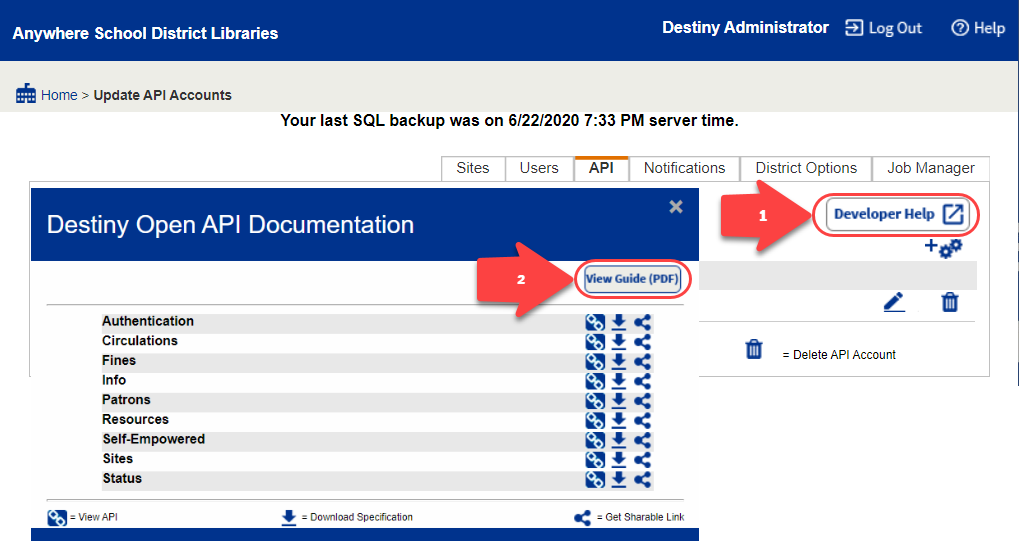
Destiny Open Application Programming Interfaces (APIs) give application developers in your district a way to interact with the Destiny application server using a series of RESTful web services. With this release, the following updates were made to Destiny APIs:
- A new Patron Info API
- Ability to update resources with the Resources API
New Patron Info API
Developers can use the new Patron Info API to get Library Manager and Resource Manager checkout information from across the district, and then provide that data to another system, such as a parent portal or learning management system (LMS).
Ability to Update Resources with the Resources API
Destiny v17.5 introduced the Resources API, which was able to get the whole resource template tree or a specific resource type by name or ID. With Destiny v18.0, this API can also update resources.
For more, see Manage API Accounts.
For integration details, see the Destiny Open API’s Developer’s Guide.
Destiny Library Manager
Destiny Quest Retirement
Destiny Discover has new capabilities you can use to promote, access and share your important library resources. With these enhancements, as well as the new Destiny Discover app (launching in August!), the Destiny Quest app and browser will be discontinued to focus on improving the current platform.
With Destiny 18.0, searches will be redirected to Destiny Discover.
Learn more:
Interlibrary Loans Reports
There are two new interlibrary loan (ILL) reports available to help you more easily track requests, as well as view statistics for the district.
Top ILL Sites Report
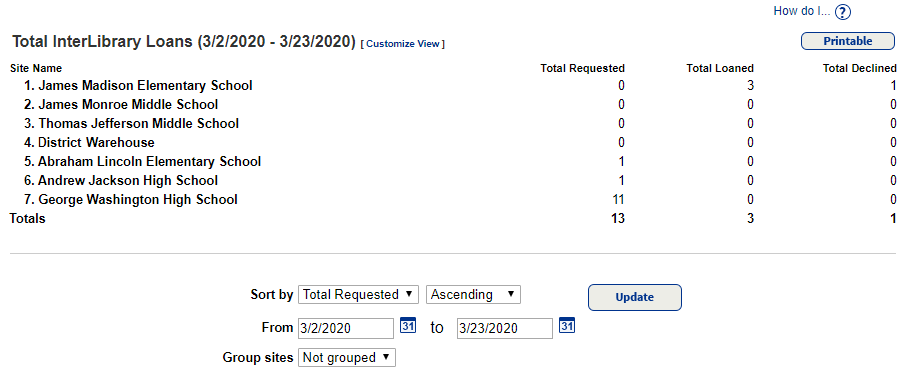
District users can use the Top ILL Sites report (Reports > Library Reports > Statistics > Top ILL Sites) to get an overview of the interlibrary loan activity in the districts.
This new report includes the following statistics by school: Total requested, total loaned and total declined. Use the customization options to sort, filter by a date range, or group by site type (for example, elementary, middle, high school).
To learn more, see Top ILL Sites.
InterLibrary Loans Report
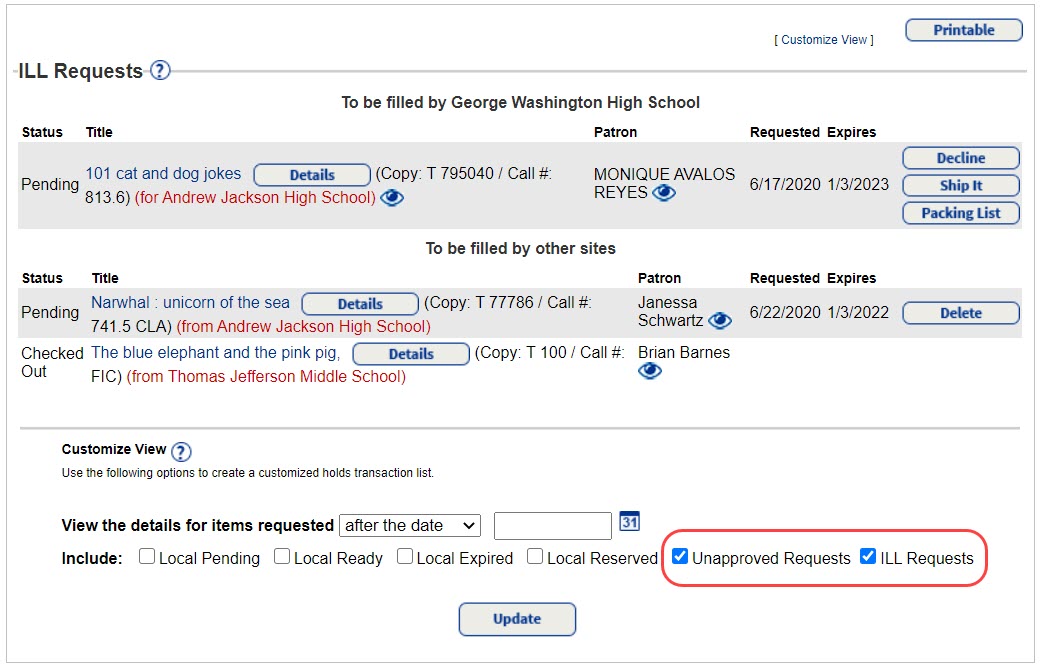
The new InterLibrary Loans report (Reports > Library Reports > Holds > InterLibrary Loans) lets you quickly view all ILL requests, organized by those to be filled by your school and those to be filled by other sites. Use the customization options to limit the view to a specific date range or include local holds.
|
Note: The InterLibrary Loans report link takes you to the View Requests page, which can also be accessed from Circulation and the Processing Needed flag. The only difference is the customization options that are pre-selected.
|
To learn more, see Manage Hold and ILL Requests.
Destiny DiscoverNew Destiny Discover App
Follett is excited to announce a brand new Destiny Discover app, set to launch in August! We partnered with customers to carefully design an app that makes finding resources and reading Follett eBooks a breeze! To kick off the school year, the initial release will let you search all library content and open, check out and download Follett eBooks. From there, we'll be continuously adding new features, making it the student and teacher go-to for library resources! Tech Requirements: - iOS 11 and later, and Android v6 and later
- Destiny v18.0 and later – upgrade today to be ready for the launch!
More information, including videos and quick reference guides, will be available soon. Stay on top of the latest news by visiting the What's New in Destiny Discover page in the Destiny Discover Help Center. Destiny Resource ManagerContainer Improvements
Several improvements make using containers easier and more efficient. Check Out To LocationYou can now check out containers to a location, such as checking out a Chromebook cart to the library. As previously, individual items within the container cannot be checked out unless they are removed from the container first. 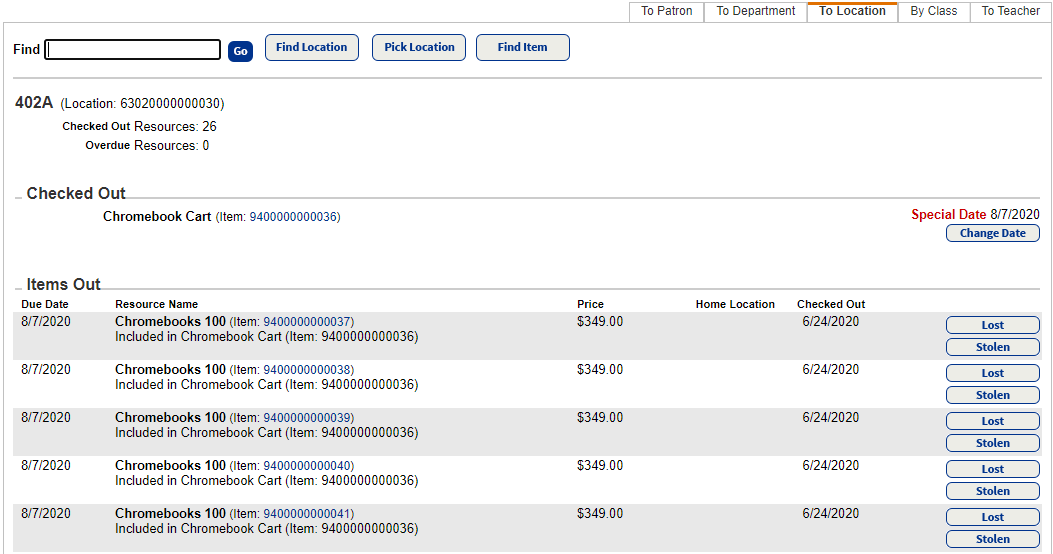
Circulate Containers OfflineIf locations have a barcode number associated to them, containers can be circulated offline using an offline circulation file. Do this with Follett Remote on a workstation or handheld device, or a text editor with a keyboard or scanner. Lost, Stolen and Found UpdatesWhen a container is marked Lost, all included items are also marked as such. Now, if the container and all items are found, they can be checked in, whether in Circulation > Check In Items or Inventory. A confirmation message appears. Verify that all items included in the container should be marked Found. 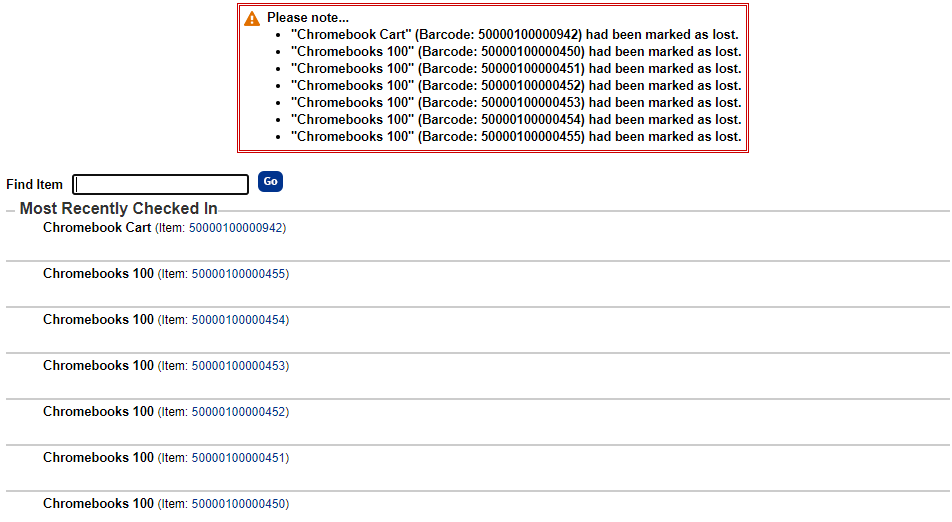
In addition, individual items within a container can be marked Lost or Stolen. Items marked as such will be disassociated and not checked out or in during subsequent circulations. 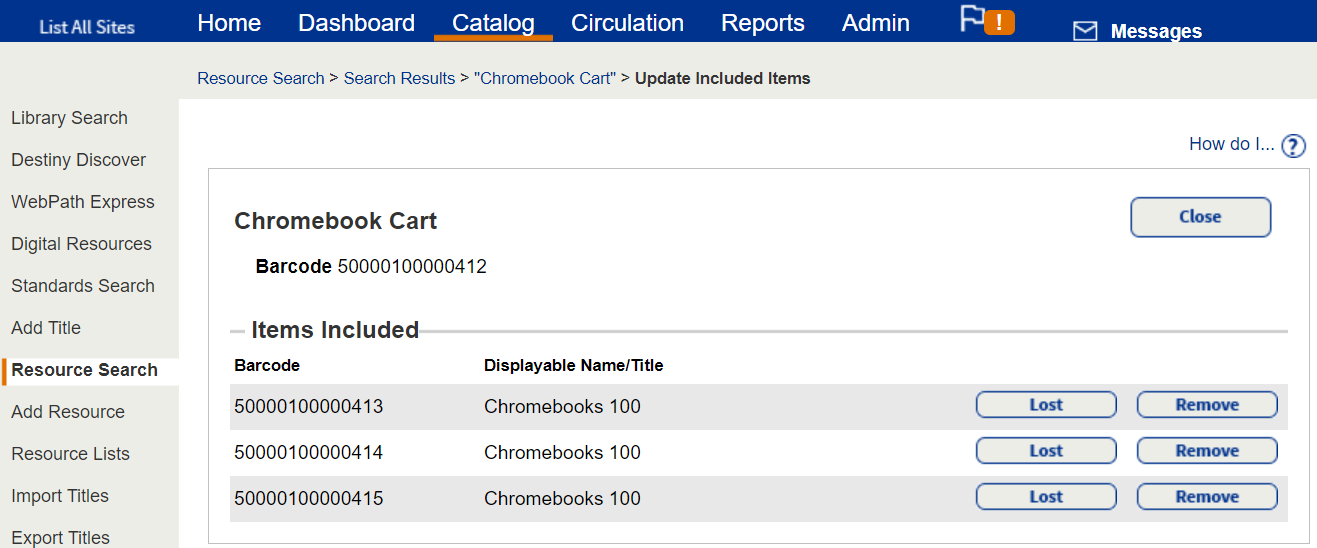
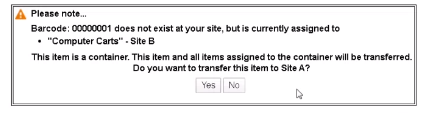
Transfer ContainersContainers and all included items can be transferred from site to site using the container's barcode on the Upload sub-tab of the Transfer Resources page or during an in-hand transfer. 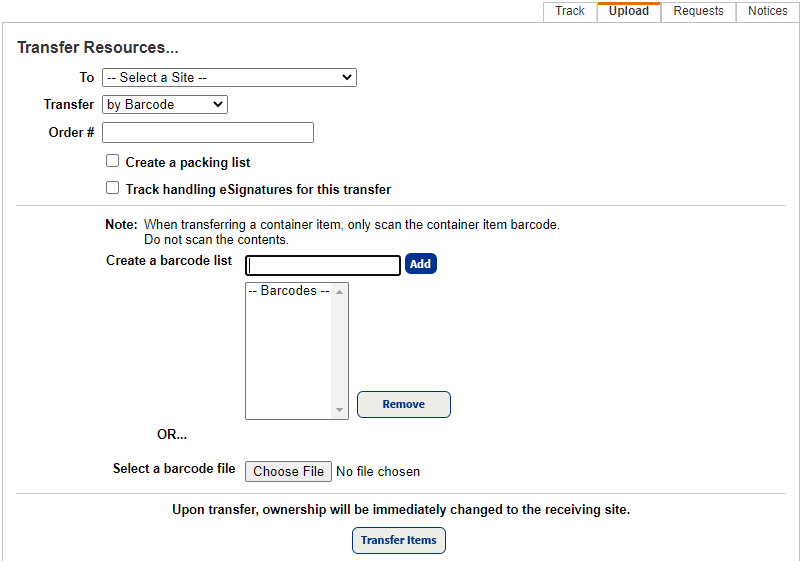
To learn more about: What's New in Destiny Version 18.0 PDF
|
|